An Android app that makes step-by-step tasks easy.Create your own sequences, share them and complete them.
For Android · by FlashAPEX
Start each part on time.
Finish it all together.
Tell Sequence what needs to be ready at the end, like a roast chicken, potatoes and veg, and it works backwards to tell you exactly when to start each one.
Follow along without the mental arithmetic. Whether you're waiting for epoxy to cure or bleeding your brakes in order, step timers and checklists tell you what to do and when to move on.
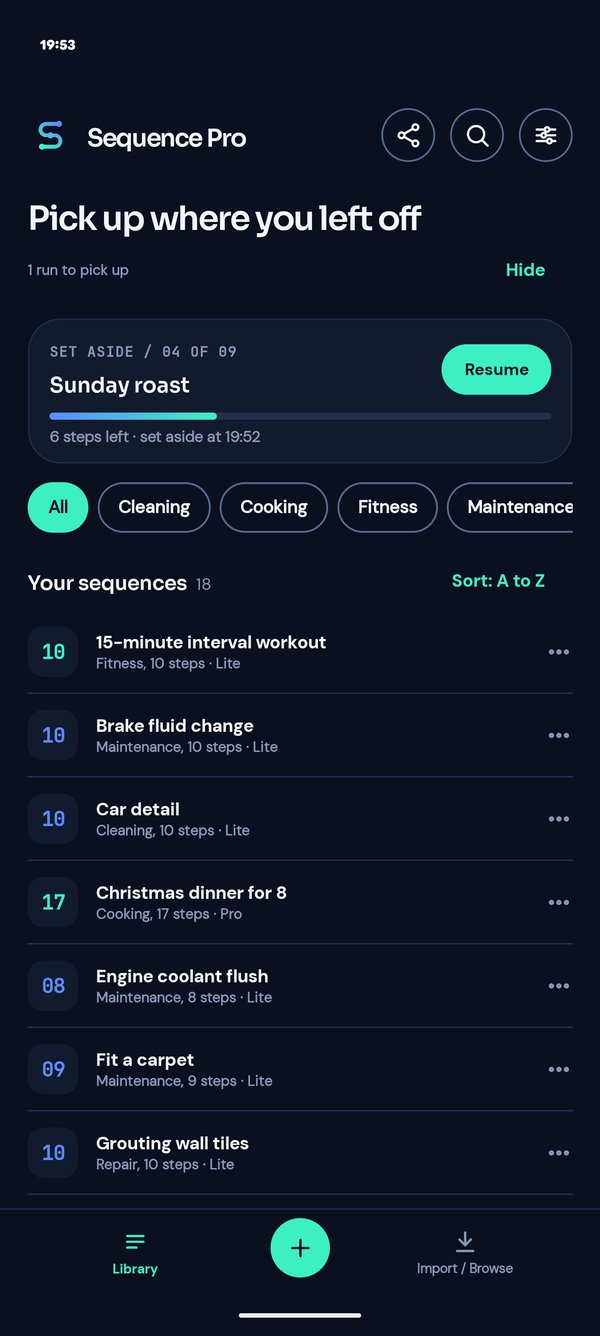
- Follow along. Run any sequence step by step, with timers, checklists and alerts that tell you when to move on.
- Make your own. Build sequences for your own jobs, with steps, timers, checklists, pictures and links.
- Start from an example. Download free example sequences from the online library, open them in the app and change them to suit you.
- Let AI do the typing. Give Claude, ChatGPT or Gemini a recipe, a manual or a request along with our guide for AI, and it builds the sequence file for you.
- Share in seconds. Send any sequence as a single file by email, a messaging app or Drive. Whoever gets it opens it in Sequence.
- Private. No account, no ads, works offline. Everything stays on your phone.
- Free to start. Make up to 5 sequences of your own with up to 10 steps each, and run the free Lite sequences from the online library in full.
- Unlock all features with Sequence Pro for a single payment, not a subscription: removes the limits and adds extra features such as Ready by a set time, hands-free, several runs on the go and looping a whole sequence.
Android 11 or newer
Scroll for the details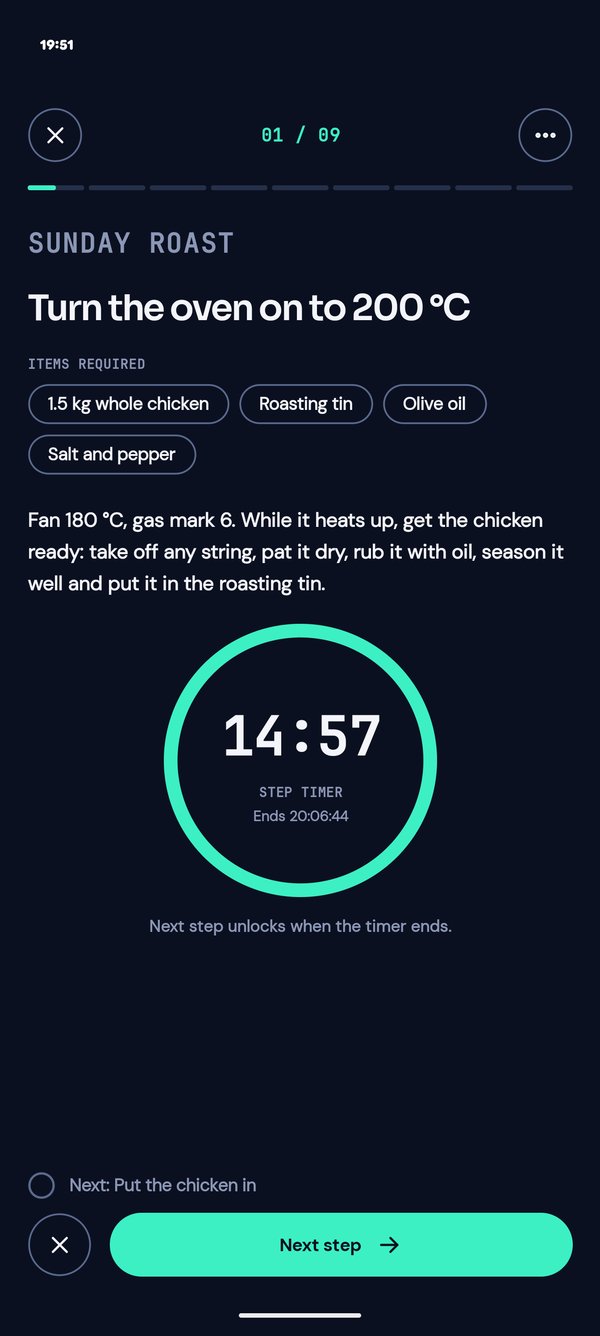
Made for the kitchen, the home, the garage, the workshop and the gym.
- Sunday roast
- Sourdough loaf
- Pour-over coffee
- Christmas dinner timings
- Strawberry jam
- Brake fluid change
- Bike puncture repair
- Epoxy glue-up
- Painting a room, two coats
- Grouting tiles
- Interval workout
- Hair colour
- Home brew beer
- Film developing
- Shop opening checklist
- Morning routine
- Tie-dye
01 Finish together
Everything ready at the same time
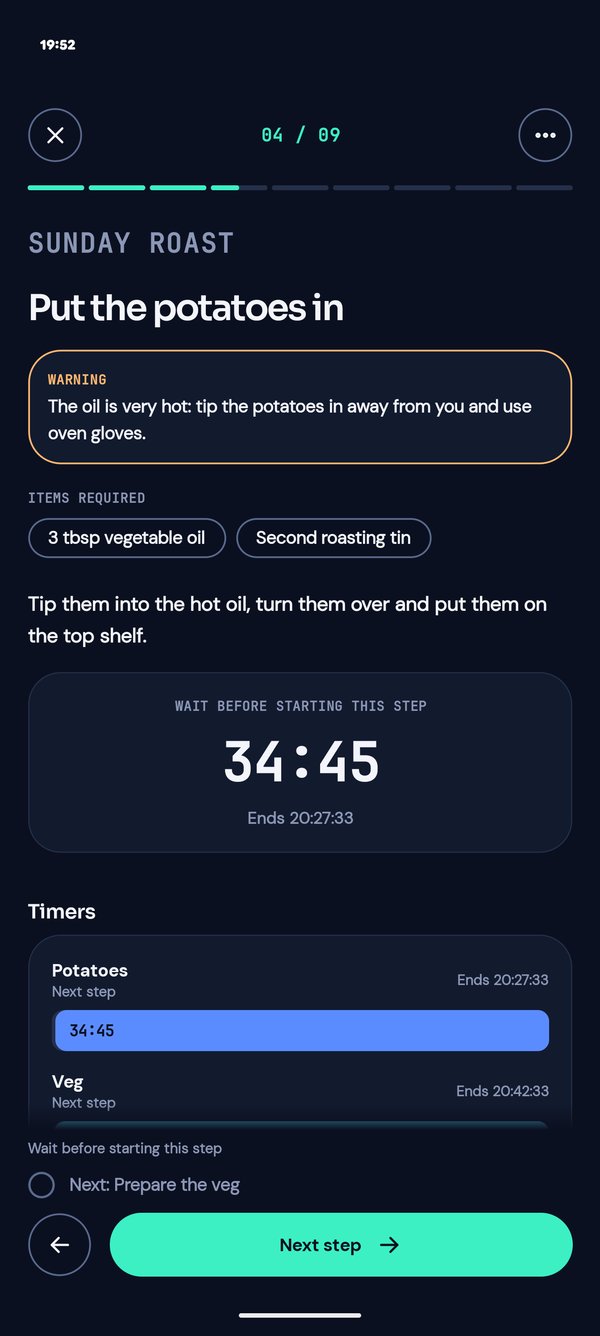
Chicken for an hour, potatoes for forty minutes, veg for twenty. Tell Sequence they finish together and it works out when to start each one, then counts you in. Every running timer sits in one tray so you can see what's coming. Finish together is in Sequence Lite.
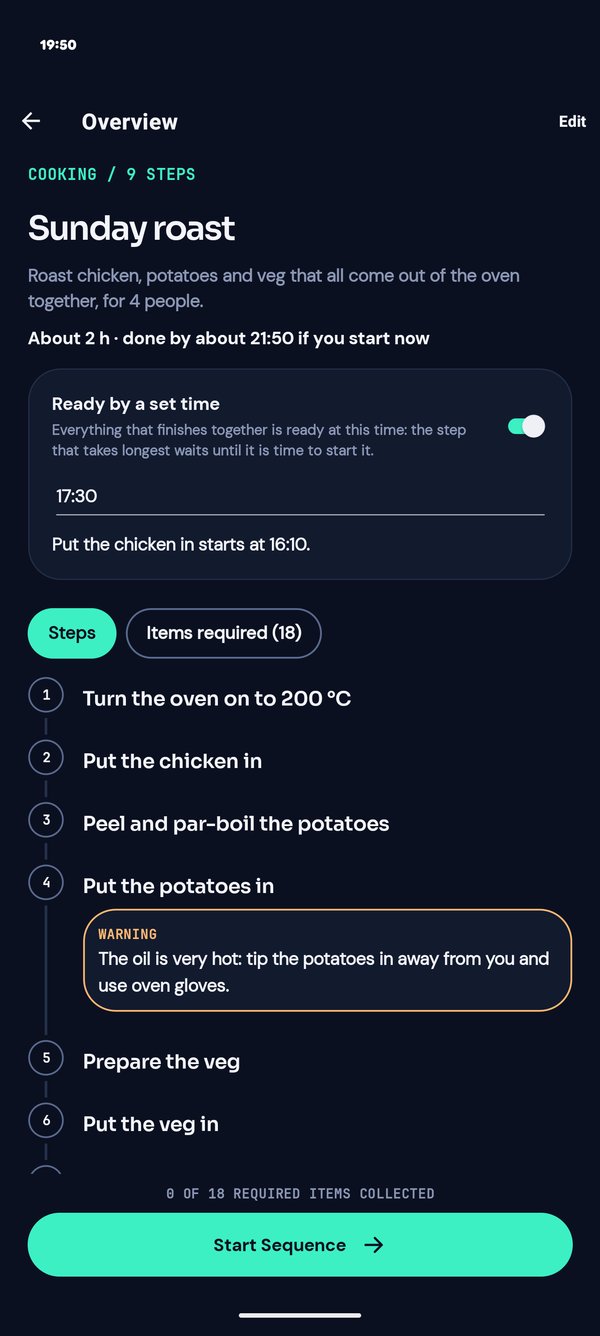
Pro Sequence Pro adds Ready by a set time: say you want dinner on the table at half six, or to be out of the door by 8:15, and Sequence tells you when to begin.
02 One step at a time
Just the step in front of you
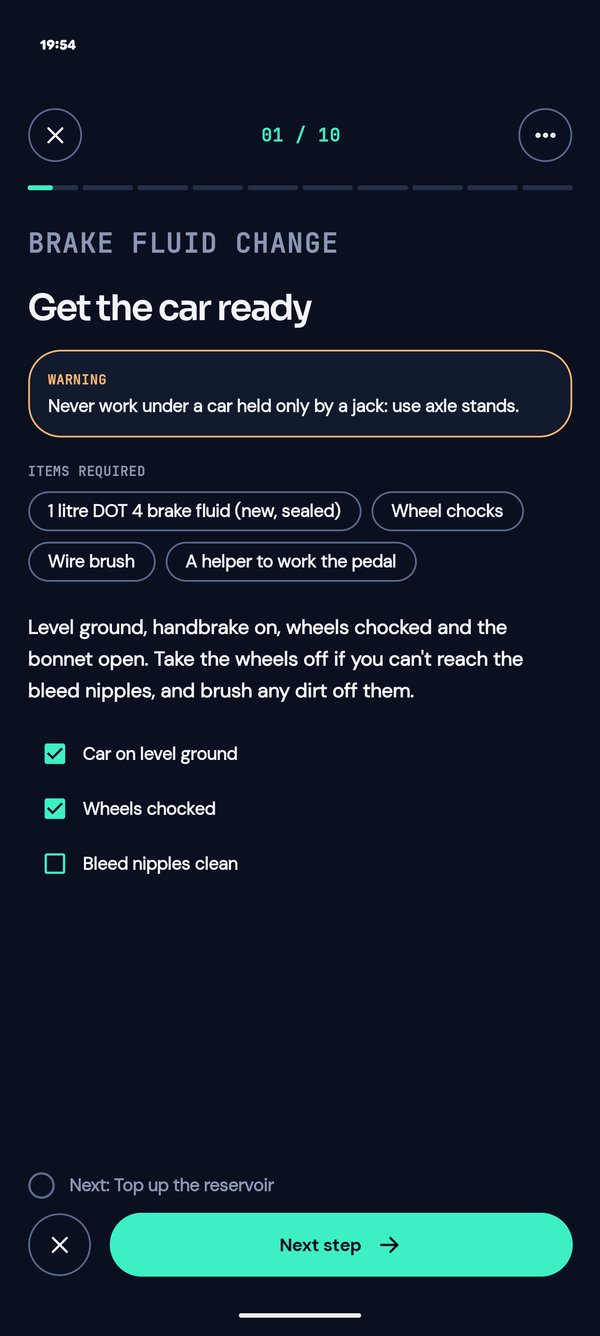
Each step fills the screen: what to do, what you need, warnings and pictures. Tap Next step when you're done or, with your hands full, press volume down, wave over the phone or just say "next". Sequence can even read each step aloud. Pro
- Step timers that hold you back until the time is up
- Checklists to tick before moving on
- Undo a step with one tap
- Set a run aside with its timers stopped and pick it up later, even days later; keep up to 5 on the go Pro
- Loop the whole sequence for intervals, coats or batches, with Loop 2 of 5 on screen Pro
03 Alerts you can trust
Put the phone down. It will call you back.
When a timer ends, Sequence sounds an alert with a notification, even with the screen off, the app closed or the phone restarted. Move on straight from the notification, without opening the app.
04 Ready before you start
Never hunt for tools mid-job again
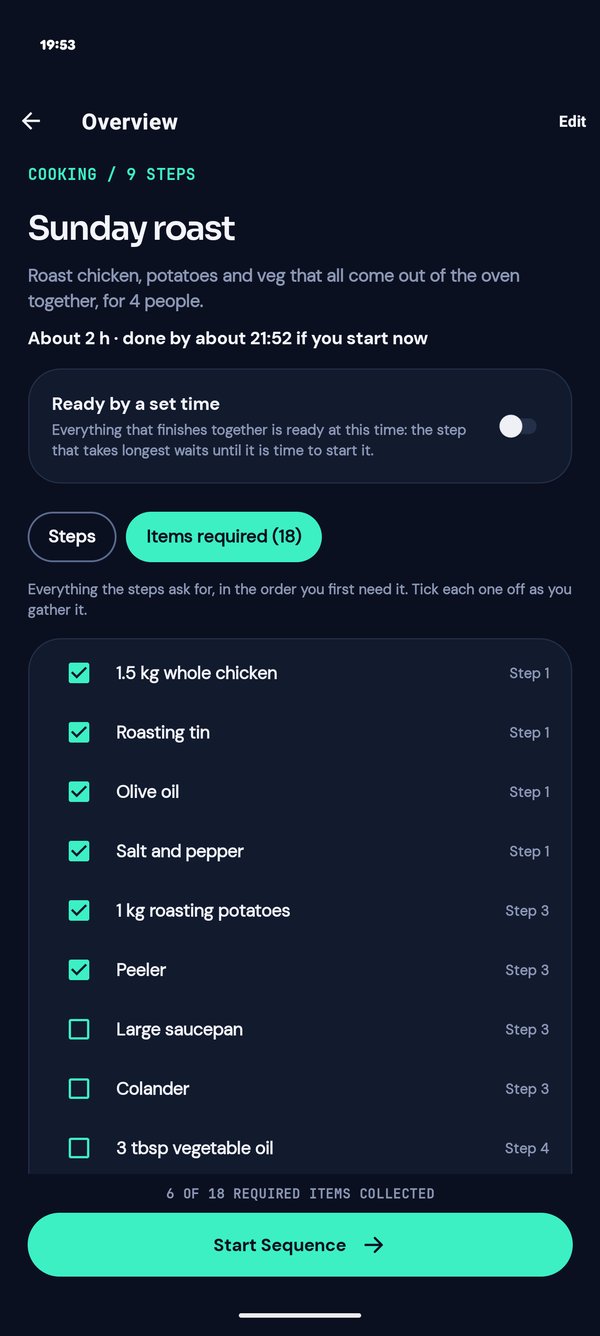
Sequence gathers everything your steps ask for into one Items required list, in the order you'll need it. Gather and tick off your ingredients, tools or parts before the first timer starts, so you're never searching for a spanner or the carving knife with dirty hands.
The Overview also says how long the job should take and when you'd be done if you started now: About 1 h 20 min · done by about 18:40.
05 Make it yours
Write your own in minutes
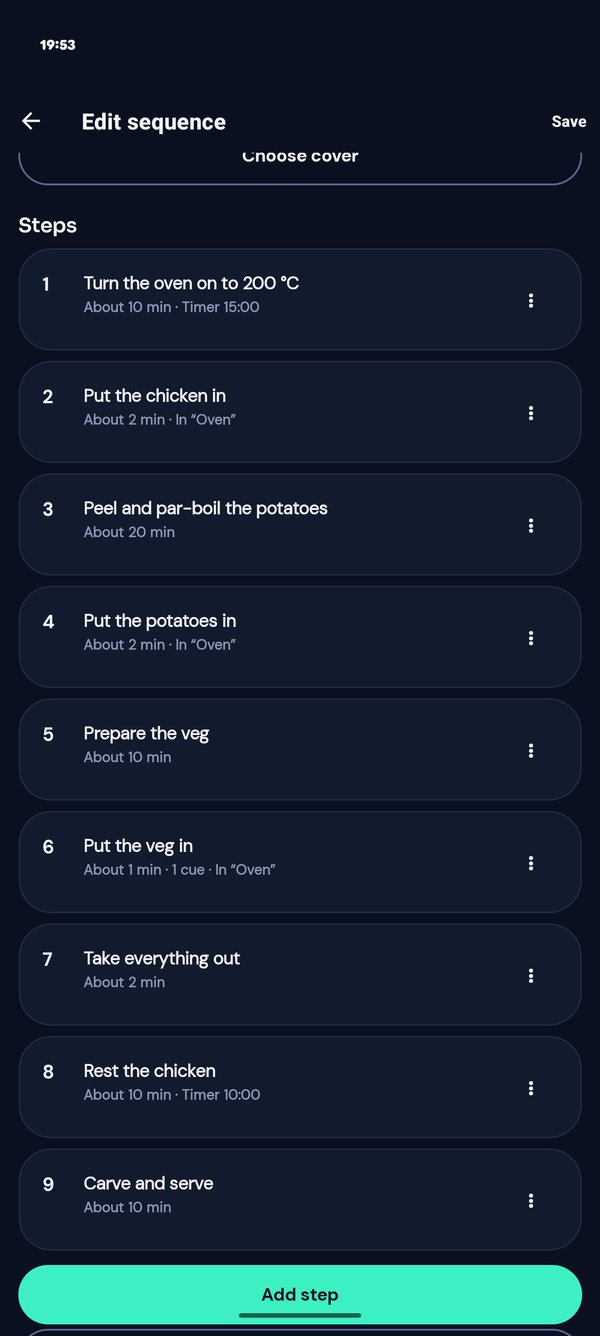
Add steps, timers, checklists, pictures and links. Repeat steps for each wheel, hold a step until the glue has cured, run background timers while you get on. Give each step a rough time and Sequence adds it all up for you. Or give a recipe to an AI you already use, with our guide for AI, and let it write the sequence for you. The AI runs in your own account, not in the app.
Share any sequence as a single file. Whoever gets it opens it in Sequence.
Private by design
Nothing leaves your phone
Your sequences, pictures and runs stay on your phone. Even "next" is recognised on the phone, never recorded or sent. Read the privacy policy.
Sequence Pro
Free to use with limits. One time payment to unlock.
Sequence Lite
Free
Everything you need to follow along.
- Up to 5 sequences of your own, 10 steps each
- Lite sequences from the online library, in full; they don't count toward the 5
- Everything inside those 10 steps: timers, finish-together, repeats, checklists and pictures
- Alarm, chime or silent timers, and steps that move on by themselves
Sequence Pro
£3.59
One payment through Google Play, yours for good. No subscription.
- Any number of sequences of your own, of any length
- Pro sequences from the online library, such as Christmas dinner for 8 and a morning routine
- Ready by a set time
- Hands-free: volume down, a wave or "next" for the next step, and steps read aloud
- Up to 5 runs in progress at once: set one aside and start another
- Home-screen shortcuts, folders, and Export all for backups
- Your own alarm and chime sounds
- Loop a whole sequence up to 20 times, with the total time for each choice
Google Play shows the price in your own currency. Longer sequences, refunds and the details are in the guide: Lite and Pro.
The film
Perfect Execution
Two minutes of Sequence, set to music.
Playing it loads the video from YouTube. Watch on YouTube
Start from an example
Sequences for the kitchen, the home, the car, the workshop and the gym, most of them free. Download one and open it in the app.