FlashPoint

For Android and Windows · by FlashAPEX

Coming soon

The cheapest fuel you can actually reach.

Tell FlashPOINT where you're going and how much range is left. It finds every UK forecourt along the way that you can still get to, and ranks them by price, detour or best value. Then it keeps track of every fill-up and every service, so you know what your car really costs to run.

  • Live UK prices
  • Price per mile
  • Service reminders
  • No account
The Find Fuel screen: a 71 mile route with 34 miles of range, a map marking the 29 mile refuel limit, and three stations sorted by best value, the cheapest at 139.9p per litre.

Features

Three jobs, done properly.

Find fuel on your route, log what you put in, and stay on top of servicing. Your fill-ups, stats and service history work without any keys or internet at all.

Find Fuel

Only the stations you can make it to.

Enter a start, a destination and the range on your dashboard. FlashPOINT plans the route, keeps a safety reserve, and lists every station within your chosen detour that you can reach before you run dry.

  • Sort by Cheapest, Least detour or Best value, which weighs the price against the extra miles
  • Range in miles, or from your fuel gauge using your own MPG
  • Route map with numbered pins that match the list, and your range limit marked
  • Shows how much you save against the dearest option in range
  • One tap to navigate, or to start a fill-up at that station
1
Station, Edgware
9.2 mi along · +0.4 mi detour · 1h ago
139.9psave £3.70
2
Station, Hendon
4.1 mi along · +0.2 mi detour · 3h ago
141.7psave £2.70
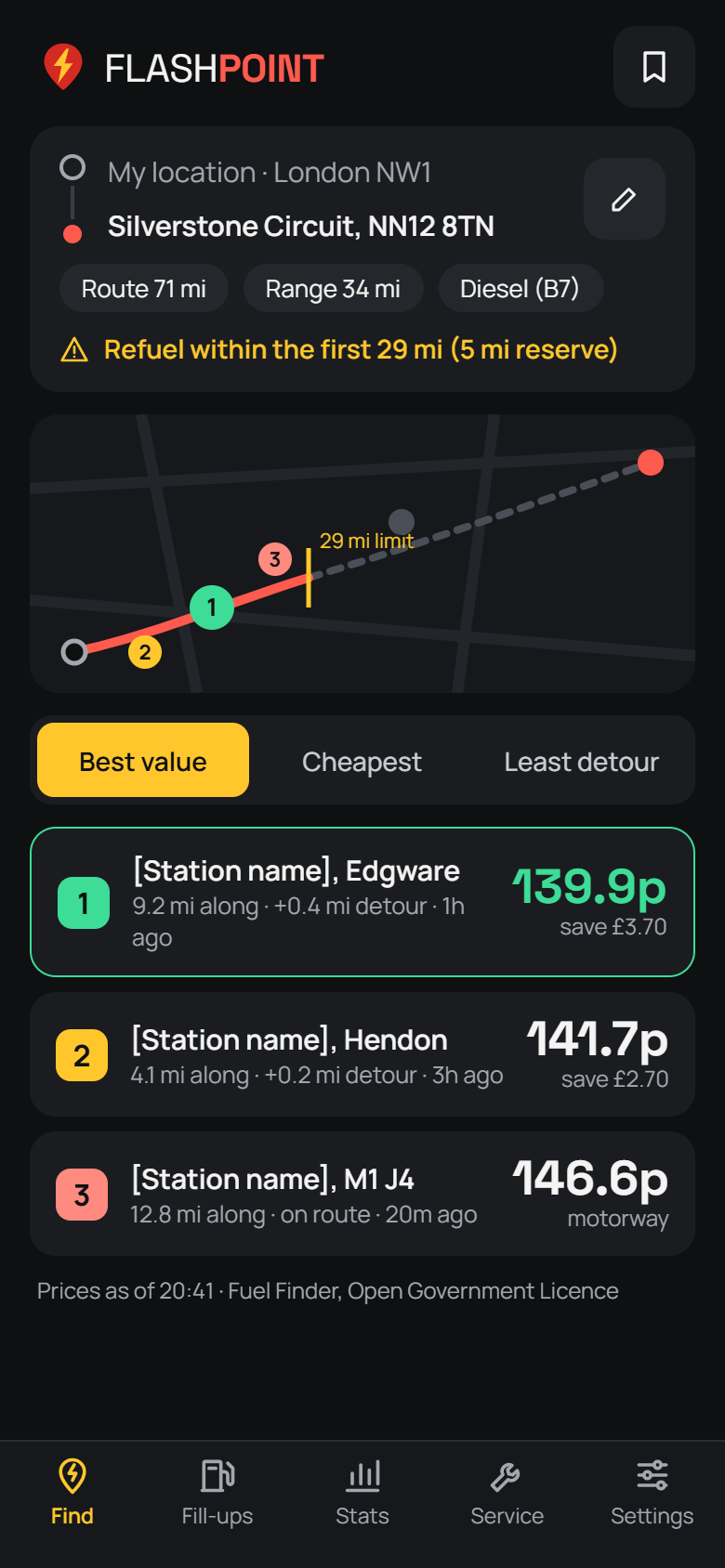
Find Fuel results with the route map and three stations.

Fill-ups

Log a fill-up in seconds.

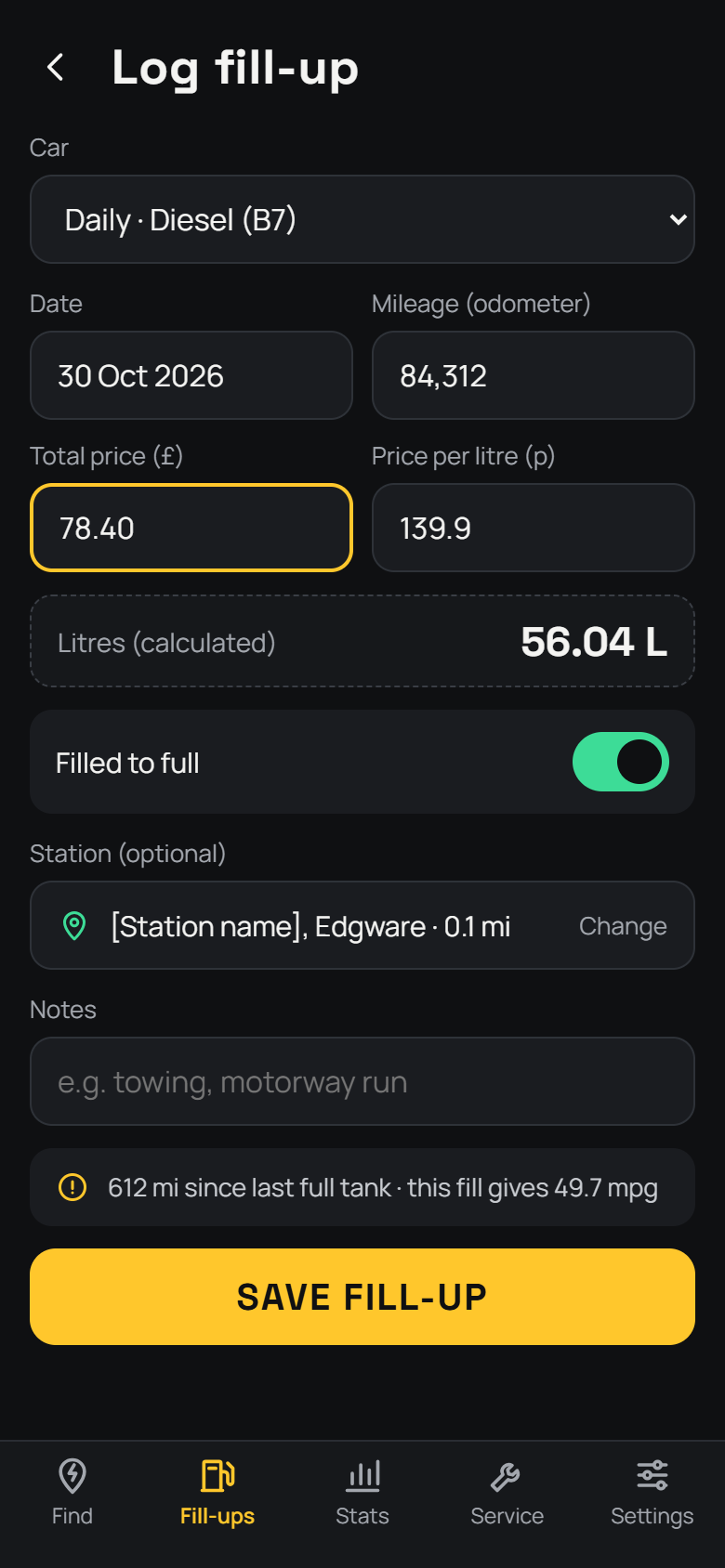
Type the total and the price per litre and FlashPOINT works out the litres. Pick the station from the ones nearby, mark whether you filled to the brim, and it checks your odometer reading makes sense.

  • Several vehicles, each with its own fuel type and tank size
  • Partial fills are counted correctly, using the full-to-full method
  • History grouped by month, with swipe to edit or delete
The Log fill-up form with odometer, total, price per litre and calculated litres.

Stats

Know what every mile costs.

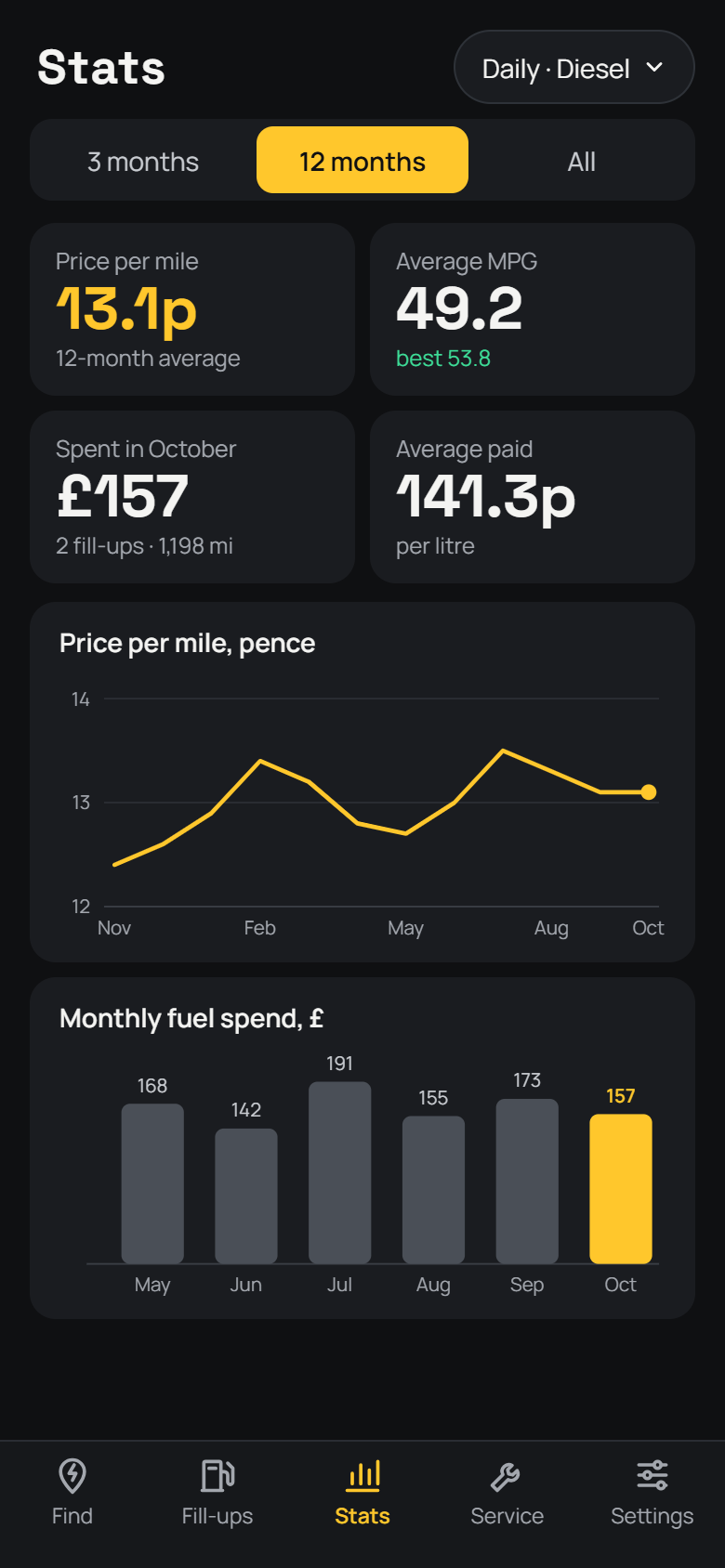
Price per mile is the number that matters, so it comes first. Watch it, your MPG and the price you pay move over time, and see where the money goes month by month.

  • Price per mile, MPG and pence per litre charts
  • Monthly spend and miles per month
  • Lifetime totals, plus your cheapest and dearest fill
  • Filter by vehicle and by 3 months, 12 months or all time
The Stats screen: 13.1p per mile, 49.2 MPG average, £157 spent in October, and charts of price per mile and monthly spend.

Service

Never miss an MOT again.

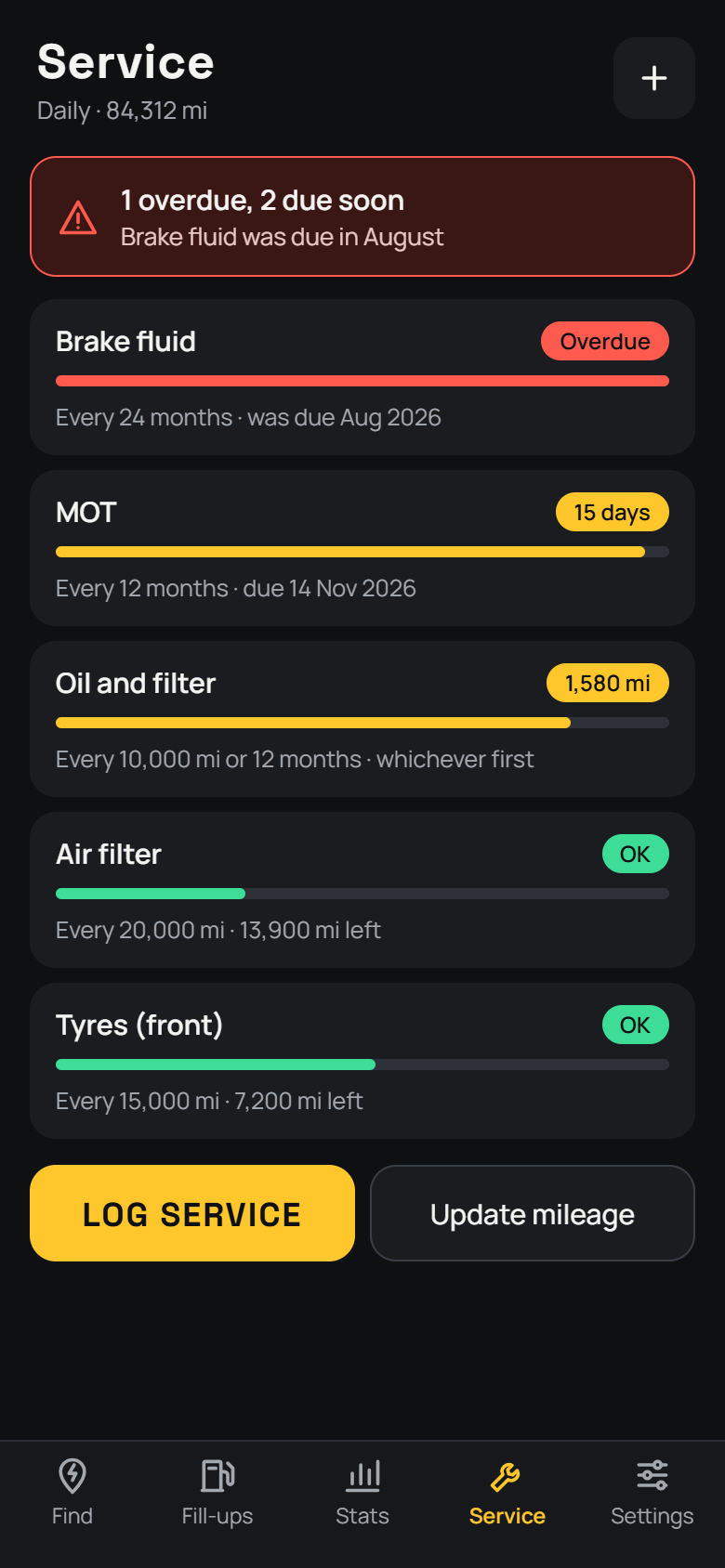
Each vehicle gets a list of service items, due by date, by mileage or by whichever comes first. FlashPOINT starts you off with oil, filters, MOT, brakes, tyres and cambelt, and you can change any of them.

  • Clear status on every item: OK, Due soon or Overdue
  • Notifications ahead of date-based items, and mileage checks after every fill-up
  • Log a service and the countdown starts again
The Service screen listing items with due-soon and overdue status pills.

And

The details that count.

Fresh prices

Prices refresh whenever they're more than five minutes old and on screen, and each one shows when the forecourt last updated it.

Route map

See the reachable part of your route, where your range runs out, and pins coloured from cheap to dear.

Gauge mode

No range readout? Set the needle from empty to full and FlashPOINT works out the miles from your tank and MPG.

Private by design

No account and no tracking. Your vehicles, fill-ups and services stay on your device.

Export and backup

Export everything to CSV for a spreadsheet, or make a full backup and restore it on another device.

Phone and PC

The same app on Android and Windows, with the same dark design.

How it works

Set up once, then just drive.

Route searches use two free services. You register for your own keys, so the app never shares anyone else's quota and nothing is billed to you.

  1. Add your free keys

    Sign up for the government's Fuel Finder service and OpenRouteService, then paste your keys into Settings. The app shows you the steps and tests the connection.

  2. Add your vehicle

    Choose the fuel type, and add the tank size if you know it. Log a couple of fill-ups and your real MPG takes over.

  3. Plan the trip

    Enter where you're going and the range left. Pick a station, tap navigate, and log the fill-up when you're done.

Fair prices

Straight numbers. No favourites.

Prices come from the UK government's Fuel Finder scheme, which forecourts report to by law. FlashPOINT shows them exactly as they arrive, with the time each was reported.

  • Prices are never rounded, adjusted or estimated
  • Sorting uses price, distance and detour only. No brand is ever promoted
  • Prices over a week old are marked and left out of "cheapest"
  • Spot a wrong price? Every station has a link to report it